> ## Documentation Index
> Fetch the complete documentation index at: https://botpress-charmenta-pr-716.mintlify.site/llms.txt
> Use this file to discover all available pages before exploring further.
# Bot variables
Bot variables let you store and reuse information **throughout your entire bot**.
Any information you assign to a bot variable will be accessible across all Workflows and conversations. This makes bot variables useful for storing global information about your bot, like:
* Your bot's name
* Your bot's version number
* Endpoints for your bot's API calls
Bot variables aren't encrypted or stored securely. This means **an Autonomous Node can read and display any information you store in a bot variable**.
Don't save sensitive information like API keys or passwords in bot variables—use [**configuration variables**](/studio/concepts/variables/scopes/configuration) instead.
Need help getting started with variables? Check out our [introduction to variables](/studio/concepts/variables/overview).
## Read a bot variable
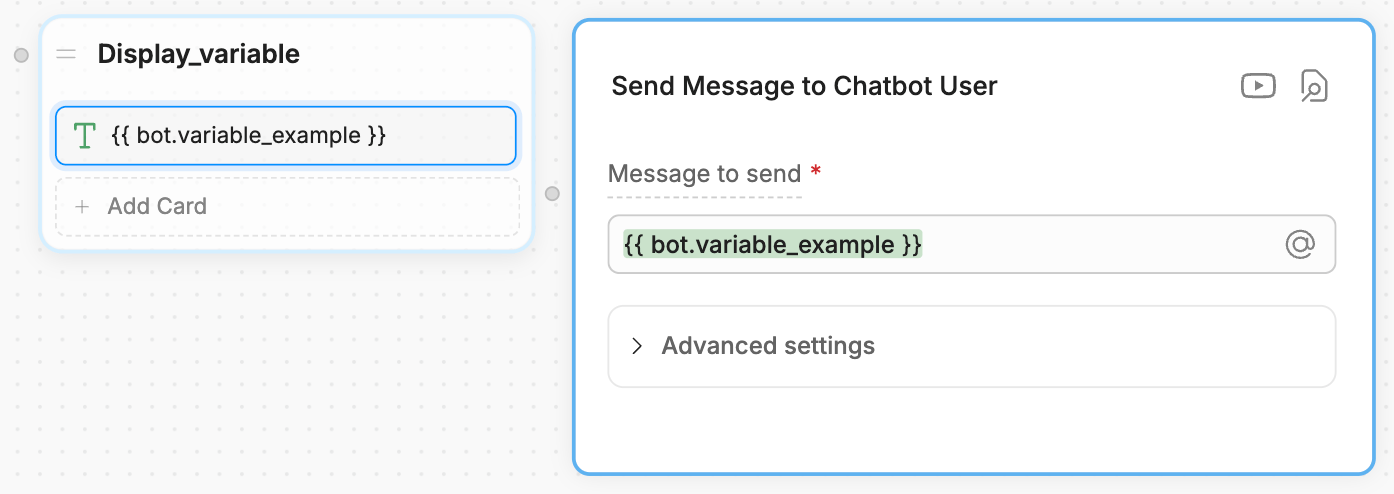
You can use `{{bot.variablename}}` or `@bot.variablename` to read a bot variable. For example, in a **Text** Card: